How to Watch IPTV Online Without Installing Any Apps
June 17, 2026 · 5 min read
Not long ago, watching IPTV usually meant downloading an app, installing it on your device, and hoping everything worked correctly.
Today, things are much simpler.
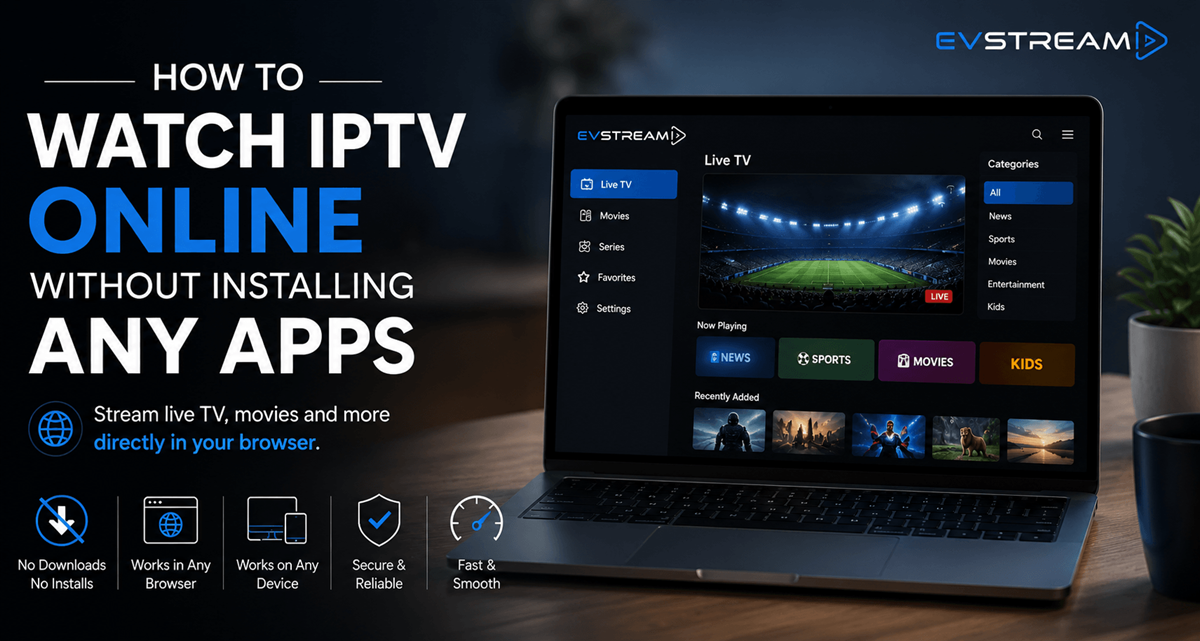
You can now watch IPTV online directly from your browser without installing any apps or software. Whether you're using a laptop, desktop computer, smartphone, tablet, Tesla browser, or another EV browser, all you need is an internet connection and your IPTV credentials.
In this guide, we'll show you how IPTV online players work and why more users are moving away from traditional IPTV applications.
What Is an IPTV Online Player?
An IPTV online player is a browser-based application that allows you to access your IPTV service directly through a web browser.
Instead of downloading software, you simply open a website, enter your IPTV credentials, and start streaming.
This approach has become increasingly popular because it removes many of the common frustrations associated with IPTV apps, including:
- Software installation
- Device compatibility issues
- App updates
- Storage limitations
- Configuration problems
For many users, a browser-based IPTV player is simply the easiest way to watch IPTV.
Why More People Are Watching IPTV Online
The way people consume content has changed.
Most modern services now work directly in the browser. From email and productivity tools to streaming platforms and communication apps, users expect quick access without downloads.
IPTV is following the same trend.
Watching IPTV online offers several advantages.
No Installation Required
Perhaps the biggest benefit is convenience.
There is nothing to download, install or update.
Simply open your browser, connect your IPTV provider, and start watching.
Works Across Multiple Devices
One of the biggest limitations of traditional IPTV applications is device support.
Browser-based IPTV players work on virtually any device with a modern web browser, including:
- Desktop computers
- Laptops
- Tablets
- Smartphones
- Tesla browsers
- EV browsers
This gives you much more flexibility when switching between devices.
Faster Access
When you use an IPTV online player, there's no waiting for downloads or updates.
You can access your content almost instantly.
This is especially useful when you're using a new device or travelling.
Less Device Clutter
Many people already have enough applications installed on their devices.
Using IPTV directly from your browser keeps things simple and avoids unnecessary software.
How to Watch IPTV Online Without Apps
Getting started is usually very straightforward.
Step 1: Get Your IPTV Credentials
Most IPTV providers will provide:
- Server URL
- Username
- Password
Many providers use Xtream Codes credentials, which are supported by modern IPTV players.
Step 2: Open a Browser-Based IPTV Player
Instead of downloading an application, open an IPTV online player in your browser.
A browser-based player allows you to connect directly without installing software.
Step 3: Enter Your Credentials
Enter the credentials provided by your IPTV service.
Once connected, your channels, movies and series will become available.
Step 4: Start Streaming
That's it.
You can now watch IPTV online directly from your browser without installing anything.
Are Browser IPTV Players Safe?
As with any online service, safety depends on the platform you use.
A good IPTV player should provide:
- Secure connections
- Private access to your playlists
- Reliable performance
- Regular maintenance and updates
Using a trusted IPTV online player is generally safer than downloading unknown software from random websites.
EVStream - IPTV Without the Hassle
At EVStream, we believe watching IPTV should be simple.
That's why EVStream allows users to connect their IPTV provider and stream directly from the browser without downloads, installations or complicated setup.
With EVStream, you can:
- Watch IPTV online
- Connect using Xtream Codes
- Save playlists
- Access content from multiple devices
- Use Tesla and EV browsers
- Enjoy a clean, ad-free experience
Everything works directly from your browser.
Final Thoughts
If you're still downloading IPTV applications for every device you own, it might be time to try a simpler approach.
Modern IPTV online players make it possible to watch IPTV online without installing apps, updating software or dealing with compatibility issues.
Open your browser, connect your IPTV provider, and start streaming.
For many users, it's the easiest way to enjoy IPTV in 2026.
Open your Tesla browser and try it today
Charge your car. Stream your favorites.
Launch EVStream.app